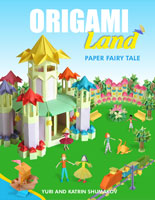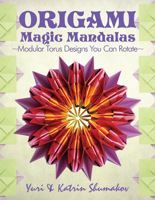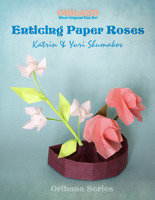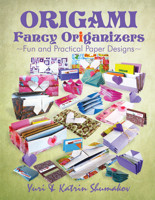

Discover Oriland Origami Collections of thematic origami designs from Oriland! You can create the whole origami land with castles, little people, trees, flowers & more. You can build origami sailing ships, make elegant Oribana arrangements! There are origami designs for the novices and experts alike. Enjoy never ending origami entertainment with these wonderful Oriland Collections! Available as downloads only.

by Yuri and Katrin Shumakov
Publisher: Oriland.com
Publication Date: 2005/05/18Pay securely with any major credit card through PayPal. After a successful payment, you are sent download links in "thank you" e-mail for download.


Publisher: Oriland.com
Publication Date:Publisher: Oriland.com
Publication Date:Origami Skeletons collection shows you how to make five original origami projects of monsters from the past! Create cheerful paper skeletons of Stegosaurus, Diplodocus, Dimetrodon, Tyrannosaur and even Ancient man! All you need is paper and a little bit of patience to fold those fantastic models and have lots of fun along!
Do-it-yourself - fold these original modular origami designs, created by Yuri and Katrin Shumakov! The skeleton of Stegosaurus folds from 81 sheets, Tyrannosaur – from 55, Diplodocus – from 80, Dimetrodon – from 55, and Ancient man – from 46 paper sheets. Despite the fact that you’ll need many paper sheets for each model, paper preparation will not be a problem, as every model is supplied with an interactive table of sizes. It will give you full information on elements of this model and quantity and sizes of necessary sheets for them.
TThere are 2,000 detailed step-by-step colorful diagrams with written instructions along with photos of the completed designs, placed on 262 pages, that will guide you through folding the 5 modular origami designs! Each model consists of several elements, that have different levels of folding from simple-medium to complex. The diagrams of folding the 19 most difficult elements are accompanied with video clips (60 minutes of full-motion video) which will help you to fold these models. Although the skeletons consist of a large number of parts, they assemble without glue. This collection will present you with many hours of happy folding and will be a fun challenge for the novice and the expert alike.
Have a wonderful and fun time with this collection creating cheerful origami monsters from the past! Happy folding!

Origami Skeletons application contains ten sections, which you can visit using the menu at the top and bottom of the application screen.
INTRODUCTION is a presentation of the collection with general orientation and helpful tips; GALLERY is a visual presentation of all the origami designs of this collection from where you can choose a model; MODEL menu displays the design with all its elements to choose an element to fold; INDEX OF MODELS – the table of content with chapters and levels of difficulty from where you can choose model’s element to fold; MY FOLDING – a place where the diagrams and pictures of a model are displayed.
Learn more about main sections, clicking at the tabs above.

In this section, five original origami projects are displayed. They are paper skeletons of monsters from the past: Stegosaurus, Diplodocus, Dimetrodon, Tyrannosaur and even Ancient man! Just choose the model you would like to fold and click on it to arrive at its MODEL menu.

The model menu opens with a big image of the chosen skeleton and its name, as well as with the entries to its elements at the right- and left-hand bars, and the link to the table of sizes at the bottom. By clicking on a chosen element you will arrive at its diagrams in the MY FOLDING section.

This section offers you a choice of models' elements from the table of contents according to a chapter and the level of folding: simple/medium, medium, medium/complex and complex. There is the ‘Video' column, which marks the presence of the video clip for certain models. The chapters are Ancient Man, Stegosaurus, Tyrannosaur, Diplodocus and Dimetrodon. To open the table of sizes of each model, just click on the link under its name. Focusing the cursor on the element's info, you will see a little image of this element. By clicking on the link of the chosen element you will come to its diagrams in the MY FOLDING section.

This is the place where you fold the model. The left-hand part of the screen shows the frame with a photo of the model and the quick menu. On the frame, you'll find the buttons for photo, video, printing and jumping over to a needed page. The right-hand part of the screen presents the detailed step-by-step colorful photo-diagrams that will guide you through folding the model page by page. Each step of the diagrams is supplied with the text directions. In addition, you can to enlarge the diagrams and to access to the table of sizes of the model.

Despite the fact that you'll need many paper sheets for each model, paper preparation will not be a problem, as every model is supplied with an interactive table of sizes. It will give you full information on elements of this model and quantity and sizes of necessary sheets for them. You will need to input the value of the basic size and then, the table will calculate the sizes of necessary paper sheets and the approximate sizes of the finished model.

ORIGAMI SKELETONS has the 'Paper Coloring' section. It contains a collection of 30 original Oriland Patterns, which you can print out to make your paper models colorful and original! The patterns will be very useful for these origami projects. Moreover, you can use colored copy paper for it, thereby adding interesting patterns on one of its sides.This is fun!

ORIGAMI SKELETONS has 'Origami Symbols' section explaining international origami symbols. This is very useful for beginners to get to know the most basic points about origami - its symbols because they will help to read diagrams for folding from almost any origami source. The animations will help to understand actions that accompany symbols or sets of lines and symbols.
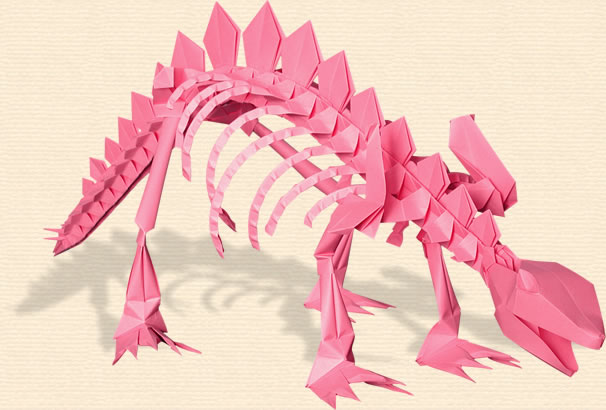
Skeleton of Stegosaurus
Yuri & Katrin Shumakov
81 sheets - 1997
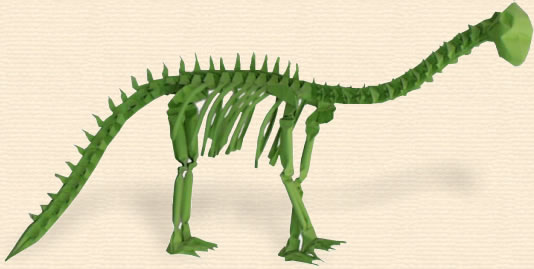
Skeleton of Diplodocus
Yuri & Katrin Shumakov
80 sheets - 1997
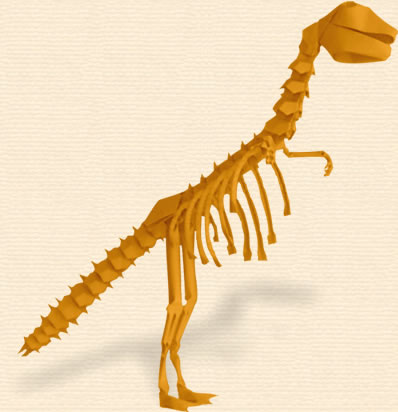
Skeleton of Tyrannosaur
Yuri & Katrin Shumakov
52 sheets - 1998
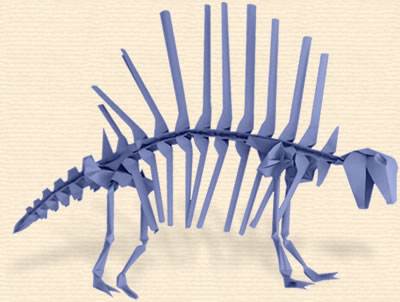
Skeleton of Dimetrodon
Yuri & Katrin Shumakov
55 sheets - 1998
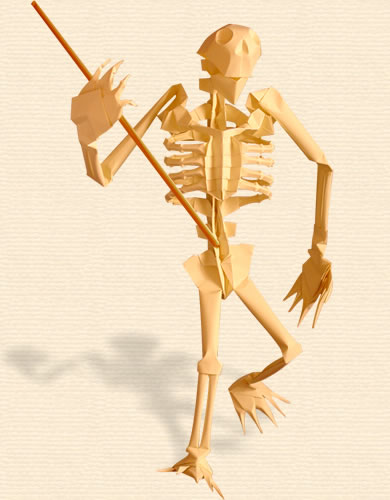
Skeleton of Ancient Man
Yuri & Katrin Shumakov
46 sheets - 1998
Origami Skeletons: Paper Monsters from the Past. Copyright © 2005 by Yuri and Katrin Shumakov. All rights reserved. No part of this collection may be used or reproduced in any manner whatsoever (including tutorials) without written permission except in the case of brief quotations embodied in critical articles and reviews. For information, address info [at] oriland.com